Processed on your device. Zero file bytes uploaded.Verify in DevTools
Tested on Windows 11 23H2 (Verified 2026-10-21)How to Split a PDF on Windows
On Windows, open the PDF in Microsoft Edge, press Ctrl+P, select Microsoft Print to PDF as the printer, and type your page range, or use the lossless Split PDF tool below to extract ranges or burst pages without re-printing.
Built-In Windows Method: Microsoft Print to PDF
Verified on Windows 11 23H2 on 2026-10-21
- 1
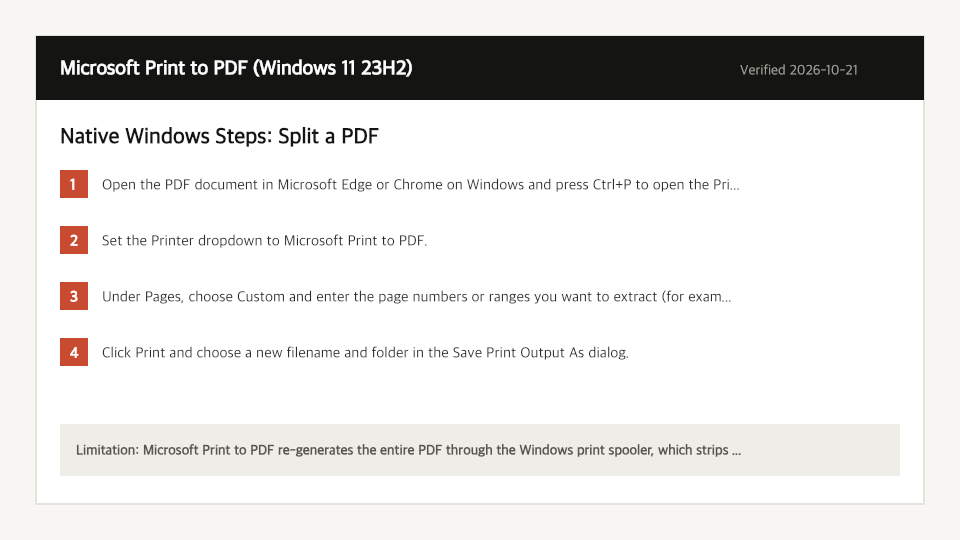
Open the PDF document in Microsoft Edge or Chrome on Windows and press Ctrl+P to open the Print dialog.
- 2
Set the Printer dropdown to Microsoft Print to PDF.
- 3
Under Pages, choose Custom and enter the page numbers or ranges you want to extract (for example, 1-4, 7).
- 4
Click Print and choose a new filename and folder in the Save Print Output As dialog.
Where the Built-In Windows Method Falls Short
- Microsoft Print to PDF re-generates the entire PDF through the Windows print spooler, which strips interactive links, bookmarks, and form fields and often inflates file size.
- To split a PDF into 10 separate chapters on Windows, you have to repeat the Ctrl+P print dialog 10 times manually.
Split a PDF Directly in Your Windows Browser
Open Full Split PDF PageUp to 50 MB per file (10 files per batch) on the Free plan. You can also paste a file from your clipboard.
Frequently Asked Questions (Windows)
- Why is my split PDF larger after using Microsoft Print to PDF?
- The Windows print driver flattens font subsets and vector streams. Our browser Split PDF tool copies original PDF page objects directly so byte size drops proportionally.
Related Device Guides
How to Split a PDF on MacmacOS Preview (Thumbnail Sidebar) (macOS Sonoma 14.6)How to Split a PDF on iPhoneiOS Files App (Print Range Export) (iOS 18.1)How to Edit a PDF on WindowsMicrosoft Edge Built-In PDF Reader (Windows 11 23H2 (Edge 130))How to Scan to PDF on WindowsWindows Scan / Windows Camera (Windows 11 23H2)How to Save a PDF as a JPG on WindowsWindows Snipping Tool (Screen Capture Workaround) (Windows 11 23H2)How to Merge PDF Files on WindowsWindows File Explorer / Print Queue (No Native PDF Merger) (Windows 11 23H2)